
Imagine that your HR manager is overwhelmed with paperwork. Employees are trapped and frustrated. Simple requests take days.
Paychecks are received late, and leave balances remain uncertain. Every question fills out to be a long email chain. The bottleneck makes the entire business slow.
Manual HR work is becoming a thing of the past in modern workplaces. Individuals want immediate access to information. An HR Self-Service Portal restores control to employees via a single secure dashboard.
It reduces duplication in administration among HR teams. It also enhances transparency amongst managers and employees. In this guide, the main features, the ESS vs MSS, and the way the SharePoint portals facilitate the secure workflows in the Microsoft 365 with fewer delays are explained.
Definition: What Is An HR Self-Service Portal?
A self-service portal is a secure online platform that is provided by HR. It allows employees and managers to cope with everyday HR activities. Access is available anytime.
Employees no longer email HR to have simple requests. Instead, they use a single system. Work is completed more quickly and with fewer handoffs.
What Can Employees And Managers Do In It?
The users can update their personal details within minutes. They are able to demand leave or policies. Everything remains at a single location.
The portal is similar to a dashboard. Profiles of performance, payroll, and benefits are linked. That eliminates confusion and repetition.
Numerous portals are operated within Microsoft SharePoint. This enhances the security and familiarity of the experience. Integrations may be smooth throughout Microsoft 365.
Workers obtain greater control over work life. HR functions get back to strategy. Everybody enjoys better ownership.
Helpful Resource: HR Self-Service Portals: Empowering Employees With Direct Access
Why Your Business Needs A Self-Service Strategy
The primary factor is efficiency. The employees directly handle their data. Manual errors are reduced to a minimum.
HR teams eliminate duplication of administration. They are people-centered, plan-centered, and culture-centered. That enhances the future performance.
Employee satisfaction is enhanced by self-service. There is instant and transparent access. The trust develops with time.
Key Benefits Include:
- 24/7 Availability: The employees can access the information any time, anywhere.
- Lower Costs: Costs on printing, rework, and time spent on administration are lowered.
- Data Integrity: Records of employees are updated and maintained.
- Faster Approvals: Digital processes reduce time wastage and lost emails.
Helpful Resource: 10 Evaluation Criteria to Compare Lanteria HR and Alternative HR Management Solutions
Categories Of Self-Service Portals
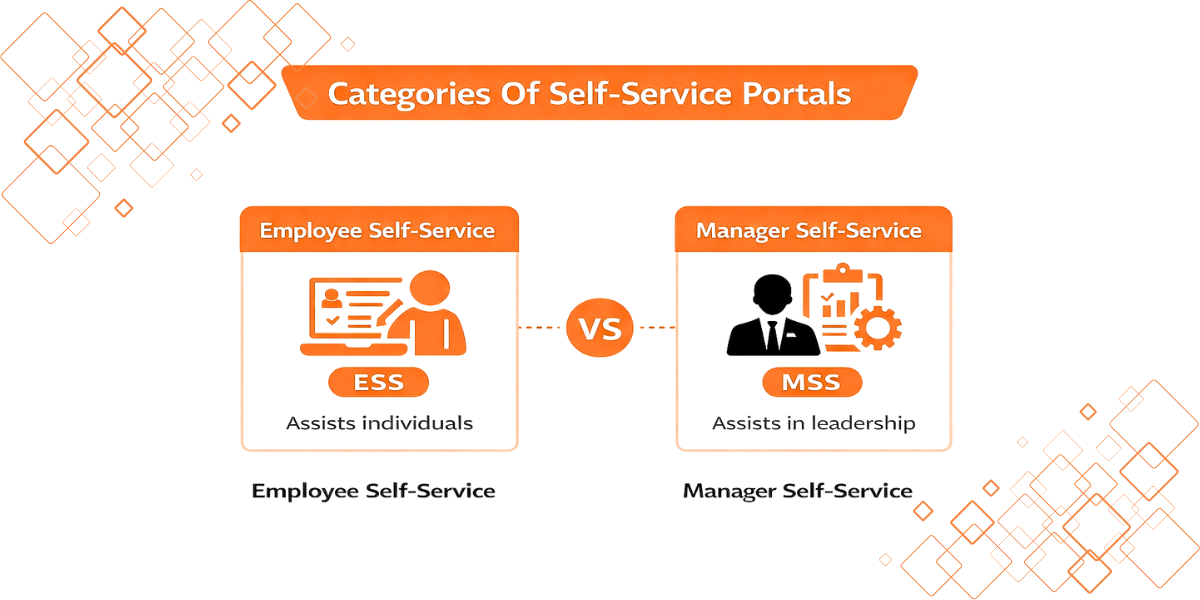
All portals do not operate the same. In the majority of systems, features are divided by role. Two main categories exist.
- Employee Self-Service assists individuals.
- Manager Self-Service assists in leadership.
They are assigned different roles. Such division prevents confusion. Access stays role-based. Security remains strong.
How To Implement A Portal Successfully

Implementation extends beyond software selection. Humans and processes are the most important. Planning comes first.
Determine tasks that are most problematic. Target large-scale HR requests. Solve real problems first.
Select a scaling platform. Large groups benefit from SharePoint-based tools. Lanteria is one example.
Use a mobile-first approach. A desktop is not necessary for the employees. Mobile access is essential.
Allow the use of Single Sign-On. Security is maintained high level and easily. Login delay drops fast.
Helpful Resource: Future-Proof Your HR with Secure Lanteria Solutions
Key Terms To Know
- ESS (Employee Self-Service): Access to personal HR tasks of employees.
- MSS (Manager Self-Service): Manager control of team HR activity.
- Single Sign-On (SSO): A single system is used to enter several systems.
- Workflow Automation: Approvals routing is automatic.
- Knowledge Base: FAQs and Central HR documents.
Best Practices For Implementing A Portal
Begin with an effective communication strategy. Justify the reasons why and then explain how. This enhances intergroup adoption.
Make the UI simple and predictable. Buttons and forms should be clearly labeled. When it requires over three clicks to do something, make it simpler.
Test processes prior to full implementation. Verification requests are sent to the appropriate managers. Trust is developed through a hassle-free first day.
Technical Security And Compliance Features
The foundation of any HR portal is data privacy. Match the controls with the standards, such as GDPR or CCPA. Restrict access to sensitive data in RBAC.
Technical compliance can be supported by audit logs. Monitor all the changes to an employee record. Take notes on who and when changed.
Enable MFA for all logins. This creates a layer of remote access criticality. There is the potential of using existing enterprise security controls in SharePoint environments.
TL;DR
- HR Self-Service portals automate the work of administration. Employees update information themselves. The requests are approved by managers at a faster rate.
- The workload of HR decreases throughout the week. The accuracy of data is enhanced between systems. Employee experience is easier.
- The most appropriate portals are Microsoft 365-integrated. Mobile access is critical. Scalability is important in the long run.
Conclusion
Modern organizations no longer have the option of self-service. It defines the daily experience of employees. Paper-based HR processes weaken growth and result in unnecessary frustrations.
A good portal eliminates delays and confusion. The staff members become more enlightened, more reliable, and quicker to respond. HR departments do not waste time on paperwork, but on people strategy.
With RBAC, MFA, and audit logs, security remains central. It is also easy to clean data since employees keep it up-to-date. It also simplifies compliance work since the actions can be tracked.
Begin with small, but then scale those workflows that are most important. That journey can be aided with the tools and platforms of SharePoint, such as Lanteria. Invest today and make your workplace agile, mobile, and confident in all its departments in the years to come.
FAQs
Is An HR Portal Secure For Sensitive Data?
Yes, the security of modern portals is very strong. Access is secured by encryption and MFA. Active Directory can be integrated to enhance control.
Can We Customize The Portal To Match Our Branding?
Yes, the majority of platforms are customized. Wording, colors, and logos can be modified. This maintains the employee experience.
How Does This Help With Compliance?
Digital audit trails are created using portals. Every action is recorded. GDPR and labor compliance are easier to demonstrate.
Streamline Your HR Operations Today With A Smarter Self-Service Portal.


