
Introduction
Did you know that 74 percent of companies are already using Human Resource (HR) technology to increase efficiency? The number of people increasing at that percentage on an annual basis has a clear reason. Paper-based Human Resource (HR) systems are slow, prone to errors, and unpleasant to staff. You cannot afford these problems in the busy modern-day workplace.
This is where workflow automation in the Human Resource Management System (HRMS) comes into play.
It automates manual processes, such as approving leave, onboarding, and payroll, and turns them into seamless activities. The outcome is improved speed, reduced errors, and much better employee experience.
You will find out just what workflow automation in Human Resource Management System (HRMS) is all about in this blog. We will also discuss its main rules, real-life applications, and tips to help you utilize it to its full potential.
Let’s begin.
What Is Workflow Automation In HRMS?
Human Resources Management System (HRMS) workflow automation involves utilizing technology to streamline certain aspects of regular Human Resources (HR) tasks within the company. This includes obtaining approvals, issuing warnings, and verifying rules. It is right, saves time, and lowers mistakes.
The concept of workflow automation in Human Resource Management System (HRMS) refers to the repeated Human Resource (HR) tasks being processed with technology. Such activities involve obtaining approvals, issuing notices, conducting compliance checks, and updating records.
You can automate tasks, save time, and reduce errors. For example, consider the case of an employee requesting leave. Rather than emailing and waiting for a response from Human Resources (HR), the Human Resource Management System (HRMS) checks it, forwards it to the manager, and records the changes upon approval.
The process is faster. It is also steadier. But most of all, it saves time for both employees and Human Resources (HR) teams.
The Principles Of Workflow Automation In HRMS
Human Resources Management System (HRMS) automation is based on principles such as consistency, efficiency, connectivity, transparency, growth, and adherence to established guidelines.
These rules ensure that work is done with the same quality, approvals are quicker, data moves through systems smoothly, and work remains accurate as the business grows.
To implement automation, Human Resource Management Systems (HRMS) have several key rules.
| Principle | Simple Explanation | Benefit |
|---|---|---|
| Standardization | Processes are done the same way each time. | No skipped approvals or lost forms. |
| Efficiency | Automated triggers remove problems. | Approvals happen faster; alerts are instant. |
| Integration | HRMS is connected to other systems. | Information flows well between departments. |
| Transparency | It has full visibility. | You know the owner and date for every task. |
| Scalability | Workflows grow as your business grows. | You don’t start processes again. |
| Compliance | Automation follows policies and legal rules. | Ensures accuracy and minimizes risks. |
Examples Of Workflow Automation HRMS
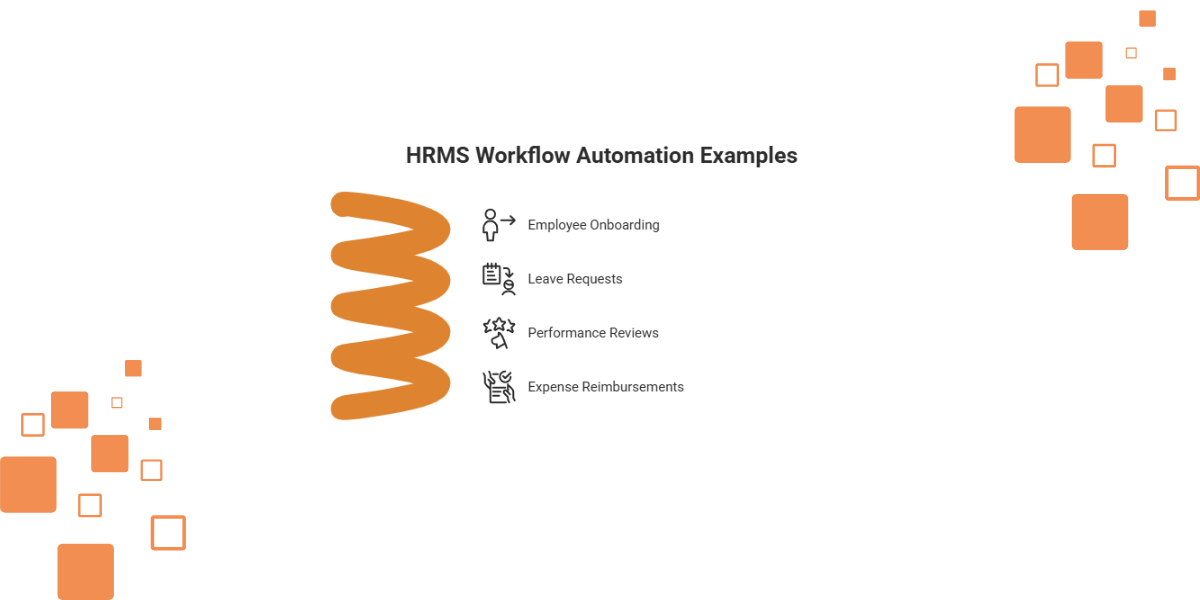
The Human Resources Management System (HRMS) can automate tasks such as setting up new staff, processing time-off requests, conducting yearly staff reviews, and reimbursing expenses. Each of these processes will be made quicker, more exact, and less dependent on human work.
And now we may see what this is like in practice.
Employee Onboarding
The Human Resource Management System (HRMS) welcomes and reminds through email, collects digital documents, and assigns training modules. New employees are helped and guided on the first day.
Leave Requests
Employees submit their leave requests through the system. The Human Resource Management System (HRMS) checks, sends to the manager, and updates upon approval. No delays.
Performance Reviews
The system reminds me of reviews. Self-scores are so that to can be uploaded by employees. Forms are filled out online by the managers, and approvals are automatically sent.
Expense Reimbursements
Employees upload receipts. The Human Resource Management System (HRMS) verifies them, forwards them to the managers, and notifies the finance department of the payment. Quick payments build trust.
Tips To Maximize The Potential Of Workflow Automation In HRMS
The best way to start with automation is to begin with small jobs, connect the HRMS with other apps, and build trust in staff through teaching. Checking, special warnings, and getting ideas make workflows better and keep them useful for a long time.
Automation yields the best results when applied in a strategic manner. These are the tips on how to start.
Map Current Processes First
You need to name every step in your manual process. Without a good understanding, you cannot make any improvements.
Start Small
Start with easy tasks such as leave requests or approvals. When these are successful, move up to more complicated workflows.
Customize Notifications
Avoid spamming employees. Customize alerts to be simple and helpful.
Train Employees
Show employees how to work with automation. Train them to make them trust and accept the system.
Integrate With Other Tools
Integrate the Human Resource Management System (HRMS) with the payroll, project management, or email systems. Connecting them maintains all the data.
Regularly Check Workflows
Review workflows often. Update them on a change in policies or legal rules.
Collect Feedback
Ask employees and managers about their experience. Workflow efficiency can be improved through feedback.
Key Terms Related To Workflow Automation In HRMS
Other important terms are Human Resources Management System (HRMS), workflow, automation, starting points, approval line, connecting, and staff helping themselves. These are the primary components that illustrate how automated Human Resources (HR) systems function.
The following are some of the key terms that you need to know:
- Human Resource Management System (HRMS): A computer program for handling Human Resource (HR) functions.
- Workflow: A series of steps, approvals, or tasks.
- Automation refers to the use of technology to accomplish work without human intervention.
- Trigger: Starts an automatic action.
- Approval Chain: This refers to the individuals who review requests submitted by managers or teams.
- Integration: Connecting the Human Resource Management System (HRMS) with third-party systems to help data move.
- Self-Service: Employees who do their own Human Resources (HR).
Too Long; Didn't Read TL;DR
Using workflow automation in the Human Resources Management System (HRMS) has enabled HR to operate more efficiently, effectively, and with a focus on people. Businesses can save time and boost productivity by following established rules and enhancing the well-being of staff, managers, and HR leaders by automating repetitive tasks.
The automation of workflow in the Human Resource Management System (HRMS) changes how Human Resource (HR) teams work. It automates manual processes, saving time and increasing efficiency by replacing repetitive manual tasks with error-free ones.
Whether it is onboarding and leave requests, performance reviews, and payments, automation ensures quicker speed and good compliance. You can achieve this by starting small, integrating and training employees, which will help you establish a foundation for long-term success. The outcome is the simple Human Resource (HR) system that grows along with your company.
The employees feel able to handle things, managers save time, and Human Resource (HR) leaders are free to concentrate on plans. Smarter, faster, and people-focused Human Resources (HR) is achieved through automation.
Conclusion
Automation can be utilized for various Human Resources (HR) tasks, including hiring, time off management, payroll, and performance reviews. HR jobs are not eliminated by automation, but automation helps by reducing repetitive work. It is cost-effective in the long run and works well with small businesses.
Human Resource Management System (HRMS) automation of workflow is no longer an option. It promotes working well, correctness, and sameness in all Human Resource (HR) procedures. Automation of repetitive processes helps you to free up your Human Resource (HR) team to concentrate on people, not paperwork.
This saves employees valuable time and reduces the time managers spend in specific areas, not to mention that leaders have the freedom to make plans that help them strategize. Automation can also keep pace with your company's growth and ensure compliance at every step.
What is produced is an improved Human Resource (HR) system that helps businesses grow and increase job satisfaction. In today's competitive business environment, automation is the key to creating a smarter, more efficient, and people-centered organization.
Frequently Asked Questions About Workflow Automation In HRMS
Automation can be utilized for various Human Resources (HR) tasks, including hiring, time off management, payroll, and performance reviews. Human Resources (HR) jobs are not eliminated by automation, but automation helps them by reducing repetitive work. It is cost-effective in the long run, follows established rules, and works well with small businesses.
Which Human Resource (HR) Tasks Can Be Automated?
You can automate recruiting, leave requests, approvals, payroll updates, and performance reviews.
Does Automation Reduce Human Resource (HR) Jobs?
No. It eliminates the need for repeated work by leaving the strategy and staff interaction to Human Resources (HR).
How Does Automation Improve Compliance?
It also automatically follows policies and legal regulations, which minimizes risk.
Can Small Businesses Use Automation?
Yes. New Human Resource Management Systems (HRMS) can be completely customized to suit any business size.
What If Employees Resist Automation?
Train, explain the benefits, and implement it in stages.
Is Workflow Automation Expensive?
Not necessarily. Automation is a popular feature of many Human Resource Management Systems (HRMS). In the long run, it will save money because it eliminates the need for manual labor.
Map your key tasks, choose an HRMS with automation, and cut manual work.


