
You're in charge of a team that's growing quickly, and all of a sudden, the "simple" task of bringing on a new hire turns into a week-long nightmare of missed emails and having to enter data manually.
Maybe a really important performance assessment is sitting in an inbox, and your best employees feel like they're being ignored. These aren't just little problems; they're big ones that slow down your business and lower morale.
In a modern digital workstation, you can't keep using manual spreadsheets and "gut-feel" reminders. You need a system that can see the future. This is where HR Workflow Automation comes in. It turns messy administrative tasks into smooth, error-free ones.
This article will explain what HR Workflow Automation is and why it is the most important part of contemporary People Operations. We will go over the steps for putting automation into action, outline the different types of automation you can use, and show you how Microsoft 365 technologies can make you much more productive.
Helpful Resource: Learn about people analytics in the Lanteria HR glossary
Definition: What Is HR Workflow Automation?
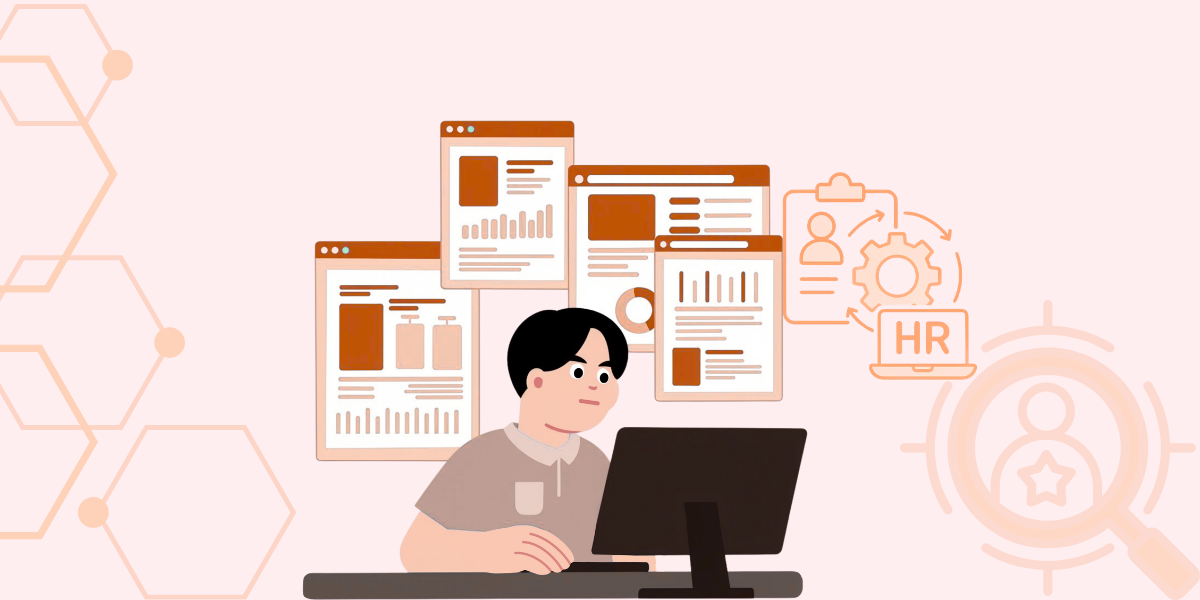
HR workflow automation is the use of software to automate HR tasks that are performed manually over and over again. It means coming up with a series of triggers and activities that guide a task from start to finish. You may call it a "digital nervous system" for your department.
An automated HR system sends a document to the relevant person. This helps you get signatures without having to reach out to people manually. An automated HR system collects information, maintains records, and sends alerts based on predefined rules. The results? Your HR team focuses more on culture and strategy than on data entry.
Why Is Automation Essential Today?
Manual processes can lead to data silos and multiple human errors. Using paper forms can increase compliance risks and also waste valuable time. Here comes the automated system. It provides a single source of truth for all employee-related information.
A data-driven HR automation system enables your team to scale without hiring more staff. This gives you consistency across all geographical locations and departments.
How To Implement HR Automation
HR automation implementation follows a structured technical process.
The first step is to identify the high-friction manual task that is taking up a lot of your time. Examples include equipment, provisioning, and vacation requests. The next step is mapping out every step of the current process. It helps you identify the choke points.
Secondly, pick a tool to integrate within your existing database. At this point, you must ensure accurate data mapping for correct information flow between systems. In other words, we can also call this step logic building. Once you build a logic, run a pilot test with a small group of employees.
Finally, you deployed the automated system and continue to monitor its performance. Feedback can be implemented to tweak the conditions and triggers. With this iterative approach, you achieve automation to solve the problem rather than causing complications.
Helpful Resource: Learn about HR workflow automation in the HRMS system.
Categories Of HR Workflows
There are multiple categories of HR workflows. Each category comes with its own features. You divide HR workflows by the business value they provide and their complexity. Most organizations adopt simple administrative triggers first, and when they scale, they move towards complex integration and logic.
| Workflow Category | Primary Objective | Complexity | Example Task |
|---|---|---|---|
Administrative |
Data Accuracy | Low | Address / Phone updates |
Operational |
Process Speed | Medium | Onboarding checklists |
Compliance |
Risk Mitigation | High | ISO / GDPR Audit logs |
Strategic |
Employee Growth | High | Performance feedback loops |
Technical Benefits Of Automated Systems
- Zero-Latency Routing: The moment a task is completed, it is moved to the next approval for signature.
- Audit Trails: Every action is monitored through proper logging for legal compliance.
- Data Integrity: Automated HR systems enhance data integrity by preventing duplicate errors in your Payroll and HRIS systems.
- Reduced Overhead: You can save hundreds of hours every quarter by eliminating the manual tasks.
- Enhanced UX: your employees get a modern interface for viewing benefits and requesting leave.
The Microsoft 365 Advantage
Fragmented software is one of the biggest hurdles for many teams. Integrating HR automation into Microsoft 365 allows you to use it as you would Active Directory. It allows security and single sign-on access to all the HR tools.
You can also protect your data by integrating the Microsoft ecosystem with platforms like Lanteria. It helps you achieve a unified workspace where employees can benefit from an existing interface.
TL;DR
- Definition: Software-driven task management for HR processes.
- Core Benefit: Eliminates human error and saves significant time.
- Logic: Uses triggers and actions to move data between systems.
- Integration: Works best when tied into Microsoft 365 and Power BI for reporting.
Conclusion
HR workflow automation has become a foundational tool for most companies. In other words, it is no longer a luxury for tech giants. If a business wants to improve employee satisfaction and increase efficiency, it must adopt an automated HR system. It automates the boring parts of HR so you can empower your team to focus on other aspects of the business.
However, you need the right tools to start your automation journey. At the same time, a clear roadmap is needed. It will help you make better decisions and lead more quickly.
FAQs
Does automation replace HR professionals?
An automated HR system does not replace HR professionals. Instead, it gives them the ability to focus on high-value tasks, like culture building and talent development.
Is it difficult to set up?
It depends on the chosen platform. Lanteria offers no-code builders. It helps HR managers to create workflows without needing a technical degree.
How does it improve the employee experience?
The HR automated system provides instant feedback. You no longer have to wait to see if your vacation is approved or not. Or if your payroll was updated or not.
Start leading with the data today through an automated HR system.


