

HR Management
5 min read
Microsoft-Integrated HR Platforms: Benefits & How It Works
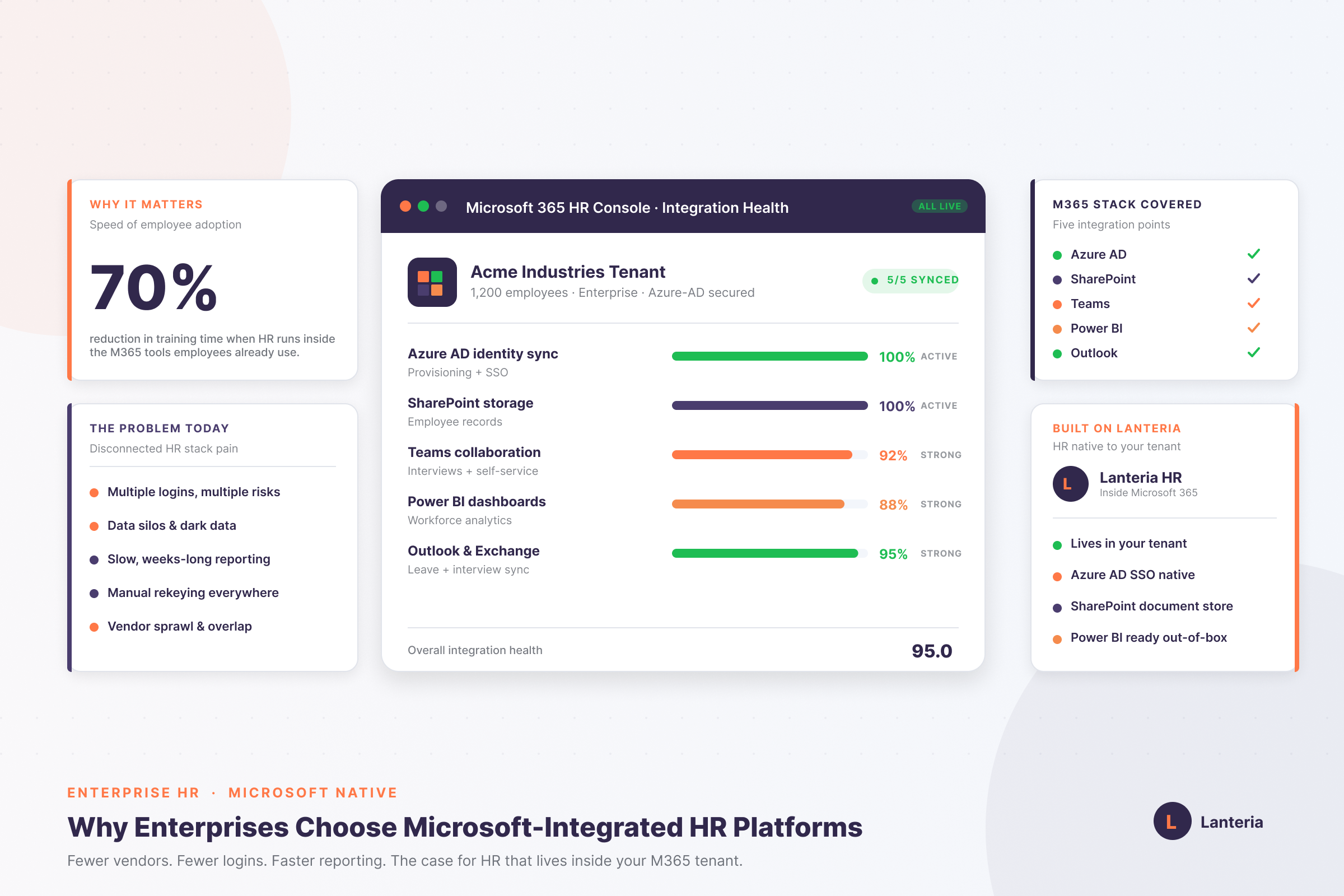
Microsoft-integrated HR platforms run inside your own tenant. See how SharePoint, Azure AD, Teams and Power BI cut risk, lift adoption and speed reporting.
Read more


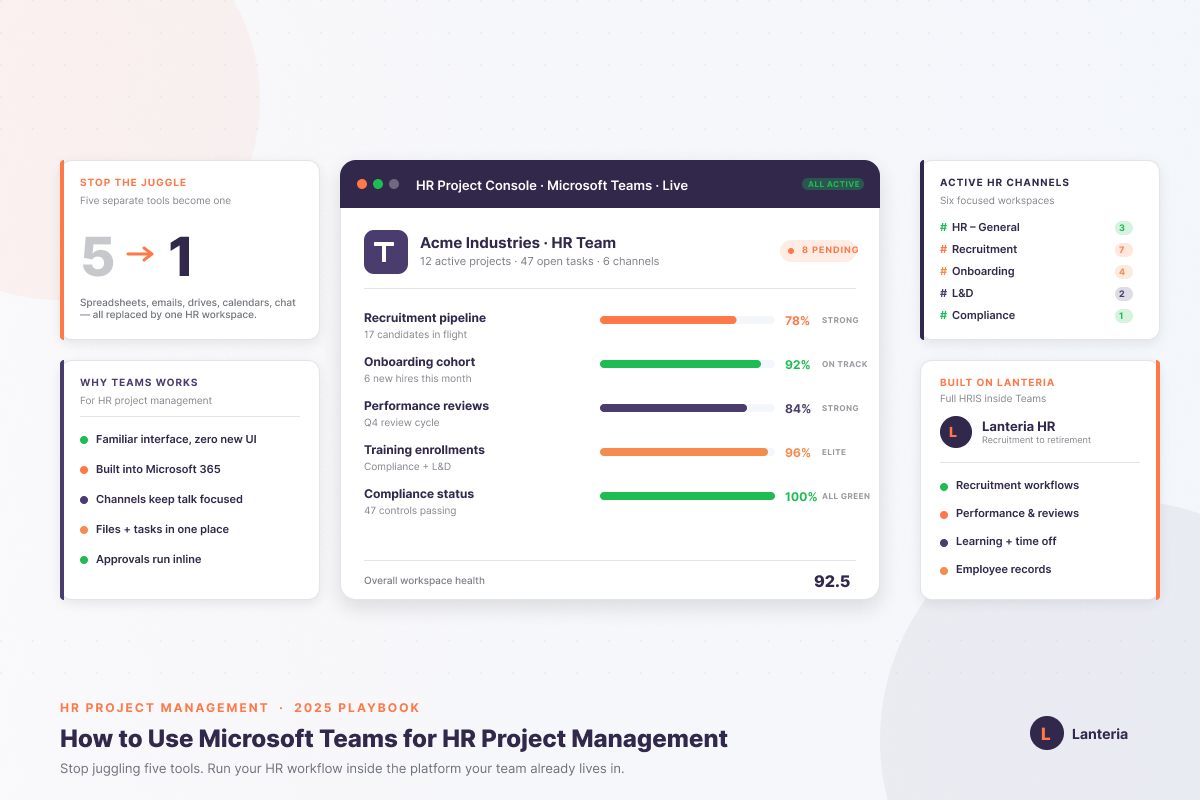
Microsoft Teams works as an HR project management hub when you structure it correctly: one main HR Team split into dedicated channels for Recruitment, Onboarding, Employee Relations, Learning & Development, and Compliance, with Microsoft Planner running the task layer and SharePoint storing all HR files in the background. Tasks get organized into buckets like hiring pipelines, onboarding checklists, and compliance deadlines, while the Approvals app handles offer letters, time-off, and policy sign-offs with full audit trails. The setup gets significantly stronger when you connect an HRMS like Lanteria HR directly inside Teams — recruitment, performance reviews, time and attendance, and employee records all run in the same window your team already uses for chat and meetings, eliminating the constant tab-switching that slows HR work down.
Maybe you have faced this before. You manage hiring pipelines, onboarding tasks, performance cycles, and training programs each day. The work never stops, and projects pile up. Your team's stuck between spreadsheets, emails, shared drives, and calendars. Nothing feels connected or disciplined. When the systems are not organized, HR does not work better; it slows down. Mistakes happen again and again, and collaboration becomes stressful.
Microsoft Teams fixes this issue and gives you a central hub for communication, for tasks, managing files, and also for meetings. If your company uses Microsoft 365, then you can extend Teams even more strongly by connecting it with software tools like Lanteria HR. It automates the HR workflows and gives proper scheduling for interviews, onboarding, learning, and reporting directly inside Teams.
In this blog, we will talk about:
So let’s get started.
Helpful resource: 5 Quick Tips for Maximizing Your Microsoft HR Mobile Apps
Microsoft Teams is not just a communication tool; it is more than that, as it becomes a complete HR workspace. When you combine automation, files, tasks, and channels. HR teams use it to track pipelines, manage onboarding, run engagement projects for employees, and handle compliance tasks.
Teams are also connected with software tools such as Lanteria HR. This thing helps HR teams to unify the project management and HRIS (Human Resource Information System) data into one secure place. Your tasks, documents, and conversations of employees stay organized and aligned in a clean and organized workplace.
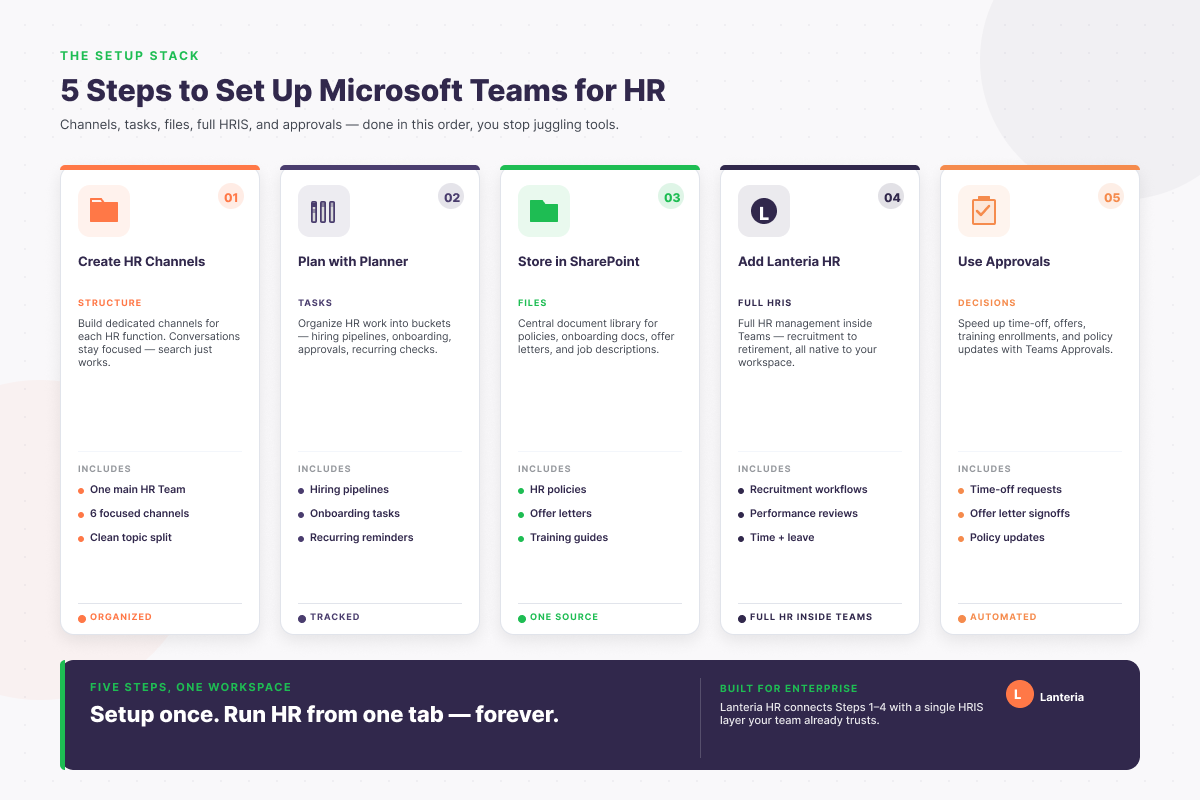
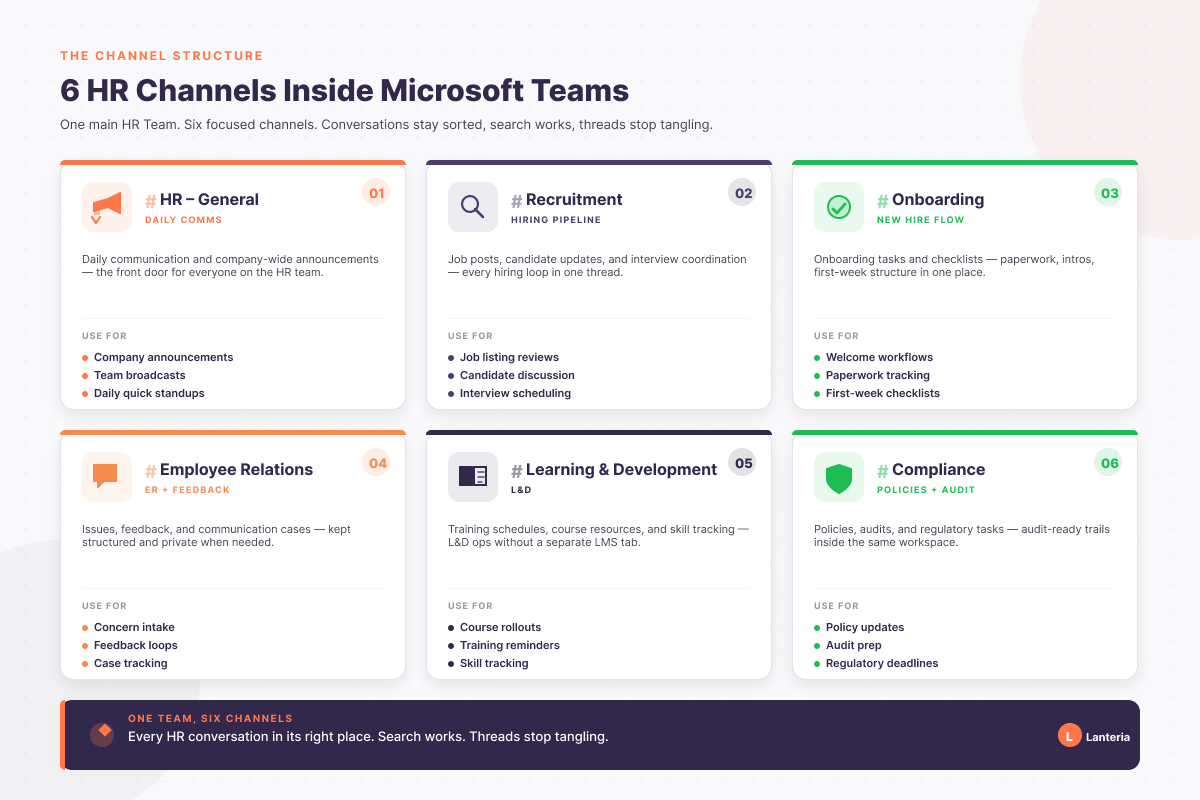
Start with a clean and organized structure. Create one main HR Team, and divide work into focused channels. This thing keeps the conversation organized and stops long message threads from mixing different topics.
Here is a simple structure, in the table given below:
| Team / Channel | Purpose |
|---|---|
| HR – General | Daily HR communication and team announcements |
| Recruitment | Job posts, candidate updates, and interview coordination |
| Onboarding | New-hire tasks, checklists, and welcome workflows |
| Employee Relations | Confidential issues, feedback, and case management |
| Learning & Development | Training schedules, resources, and completion tracking |
| Compliance | Policy updates, audits, and regulatory task tracking |
This structure gives clarity to everyone in the team. It makes the tracking of the project easier.
Microsoft Planner is the primary tool for managing HR projects in Teams.
You can organize your work into buckets, such as:
Assign tasks and set due dates, and attach files to each card. You can also create recurring tasks for monthly payroll checks. You can also check performance updates and reminders for probation periods.
Teams create a SharePoint site for each channel. You can use it to store these things, which are given below.
Create a clean and structured folder. This thing helps your teams, and they can easily get files because they know where files belong. This avoids version issues and keeps documents organized in one secure place.
Helpful resource: SharePoint HR Best Practices: Step-by-step Guide on Implementing SharePoint for HR
Streamline Your HR Projects with Teams
Overcome the chaos of scattered documents and misaligned teams. Book your demo and experience how Microsoft Teams and LanteriaHR enhance HR project management.
Lanteria HR directly connects with Microsoft Teams, and it gives your HR team complete and proper management. It includes tools which are given below:
Everything works inside Teams, which is why your HR team does not need to switch between different systems. This boosts efficiency and keeps all HR project workflows smooth, clean, and connected.
Use approvals to speed up HR decisions, for that, they use:
The approvals apps in Teams give you one clear place to review, approve, and track each and every request. You can also set automated approval chains with Power Automate to make the process faster and easier to scale.
Use clear naming patterns; examples are given below/
Consistent names remove confusion, and they help your teams search files faster.
If you want to learn about Microsoft Integrated HR Platforms, click this blog post by Lanteria HR.
Tags help you notify specific roles instantly. Some examples are given below, so let's check them.
With the help of tags, conversations become focused, and it reduces unnecessary notifications for your whole team.
Helpful resource: Creating Engaging Microsoft Teams HR Training Modules: A Quick Guide
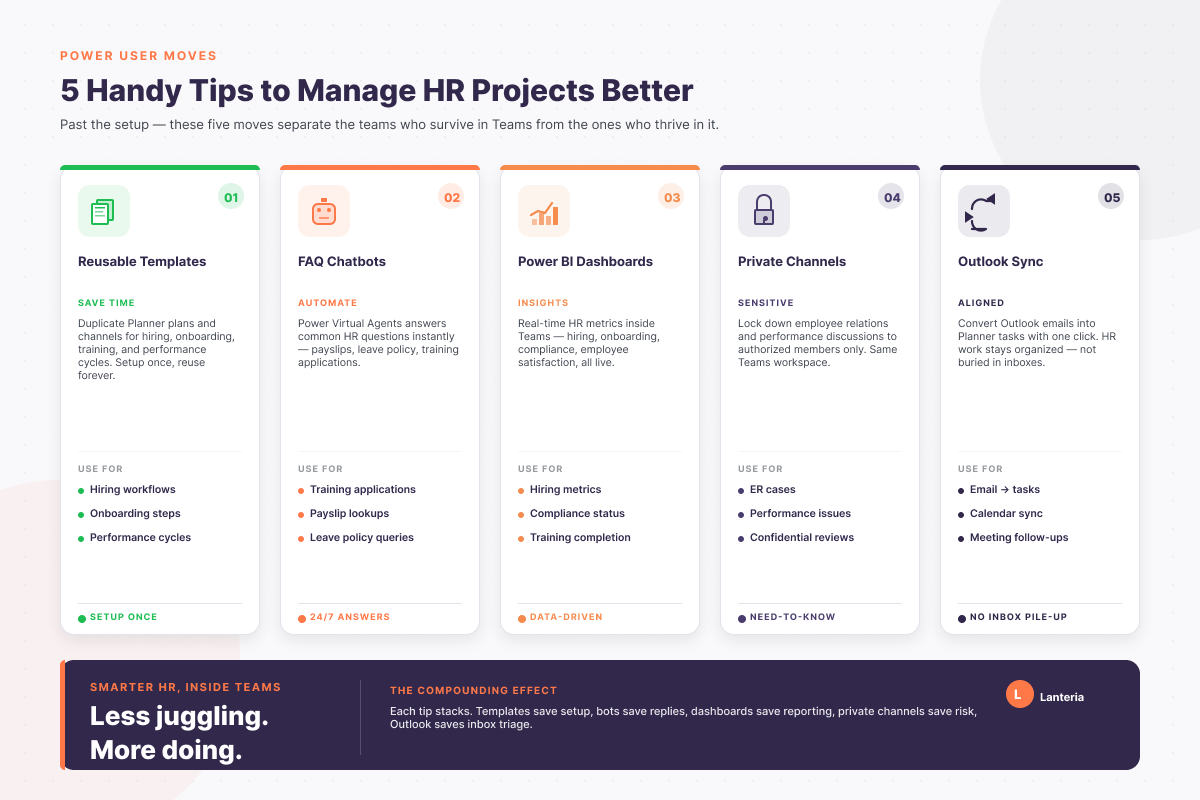
Save time by creating templates for:
You can duplicate channels or Planner plans to keep your process of HR consistent in the whole team.
You can make simple bots by using Power Virtual Agents. These bots give the answer to common questions, and these questions include:
Bots reduce manual work and give employees instant access to the information they actually want to know.
Use Power BI dashboards inside Teams to track all these things, which are given below.
These things are all very helpful for HR leaders as they can make data-driven decisions for the entire team very fast and accurately.
Use private or shared channels to handle employee relations and their performance issues. This channel keeps all your conversations sacred and confidential.
Not every email needs to stay in your inbox. You can convert Outlook emails into Planner tasks with one click. This keeps all HR work well organized inside Teams.
Get the Latest on HR Project Management
Stay on top of new features and best practices for Microsoft Teams HR management. Subscribe to our newsletter for smart tips right to your inbox.
Microsoft Teams is a very powerful hub for HR project management when you set it up correctly or in the right and proper way. You can create HR specific Teams and channels. You can manage tasks with a planner and store important documents in SharePoint. It speeds up the decisions by using approvals. Software tools such as Lanteria HR give you full employee management. It also tracks the performance inside Teams.
Use all these things:
To sync tasks and boost productivity. With this setup, HR teams centralize the communication and reduce manual work. It manages hiring, onboarding, compliance, and employee engagement projects in one organized and secure workspace. When you use this setup, the results will be amazing, and you will get a smoother, faster, and efficient HR workflow.
Microsoft Teams can make HR project management easier, but make sure you organize it well and use tools such as Planner, SharePoint, Approvals, and Power Automate for advanced or modern HR tasks, such as tracking the performance of an employee, learning management, and automation for HR reporting.
Lanteria HR integrates directly into your Teams and brings everything together in a single secure place. This thing gives your HR teams a modern, well-organized, and productive workflow.
The security features of Microsoft Teams are very strong. Some of its advantages include data encryption during transit and when at rest, and multi-factor authentication. It has improved compliance abilities. That is why it is necessary to follow the rules of data and security protection, including limiting access to private data and checking all the permissions on a regular basis.
Yes, Microsoft Teams can be connected with other types of HR management systems and software, i.e. Lanteria HR. Such a connection simplifies the work processes and ensures better data alignment across the platforms. Request a demo free of charge and test the best options of Lanteria HR for your business.
Yes, Microsoft Teams is highly scalable, and it can be used to serve large HR projects. It provides you with tools and features of tools, including:
These tools are able to effectively control projects of any size.
Live training may take place in Teams, learning material may be shared in Teams, and group discussion may be active. You can also save sessions to watch later, and have built-in applications such as quizzes and surveys to interactively learn.
Microsoft Teams can be successfully used to conduct remote HR projects, as it is a strong communication platform, with chat, video conferencing, and online meetings being some of the features that a remote group will need.
Microsoft Teams is indeed highly customizable. You are also able to create channels and name them as required, add certain applications, and adjust those settings to fit the work of your department.
The best practices are creating a clear agenda beforehand, more personal interaction with a video, meeting recording, and extra features such as screen sharing and the meeting chat, which help to interact better.
Book a demo with Lanteria HR, and see how they can make your team work smarter and save your time.
See Microsoft Teams in Action for HR
Ready for efficient HR management? Take a product tour and discover the power of Microsoft Teams for HR projects, from onboarding to development.