

HR Management
5 min read
Microsoft-Integrated HR Platforms: Benefits & How It Works
Microsoft-integrated HR platforms run inside your own tenant. See how SharePoint, Azure AD, Teams and Power BI cut risk, lift adoption and speed reporting.
Read more


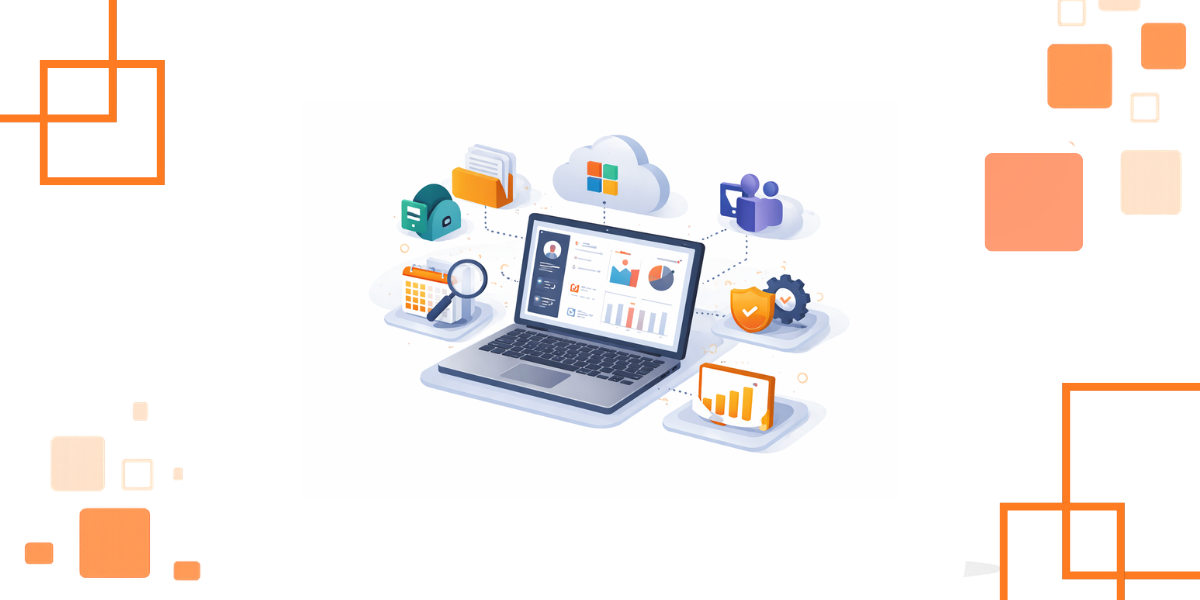
Is your HR department overwhelmed with browser tabs? The candidate information in the email is copied to a spreadsheet. After that, you update employee records in another portal.
Subsequently, you discover that training certifications with SharePoint do not reflect payments. This technology sprawl wastes time and increases errors. It also makes reporting unreliable.
When your organization already operates on Microsoft 365, then HR must also live there. The appropriate HR software microsoft 365, must become part of your daily tools. It is not supposed to drag you into a different ecosystem.
This guide will demonstrate how to select a Microsoft-native HR system. You will know what is meant by native and why it is important. You will receive a workable assessment checklist.
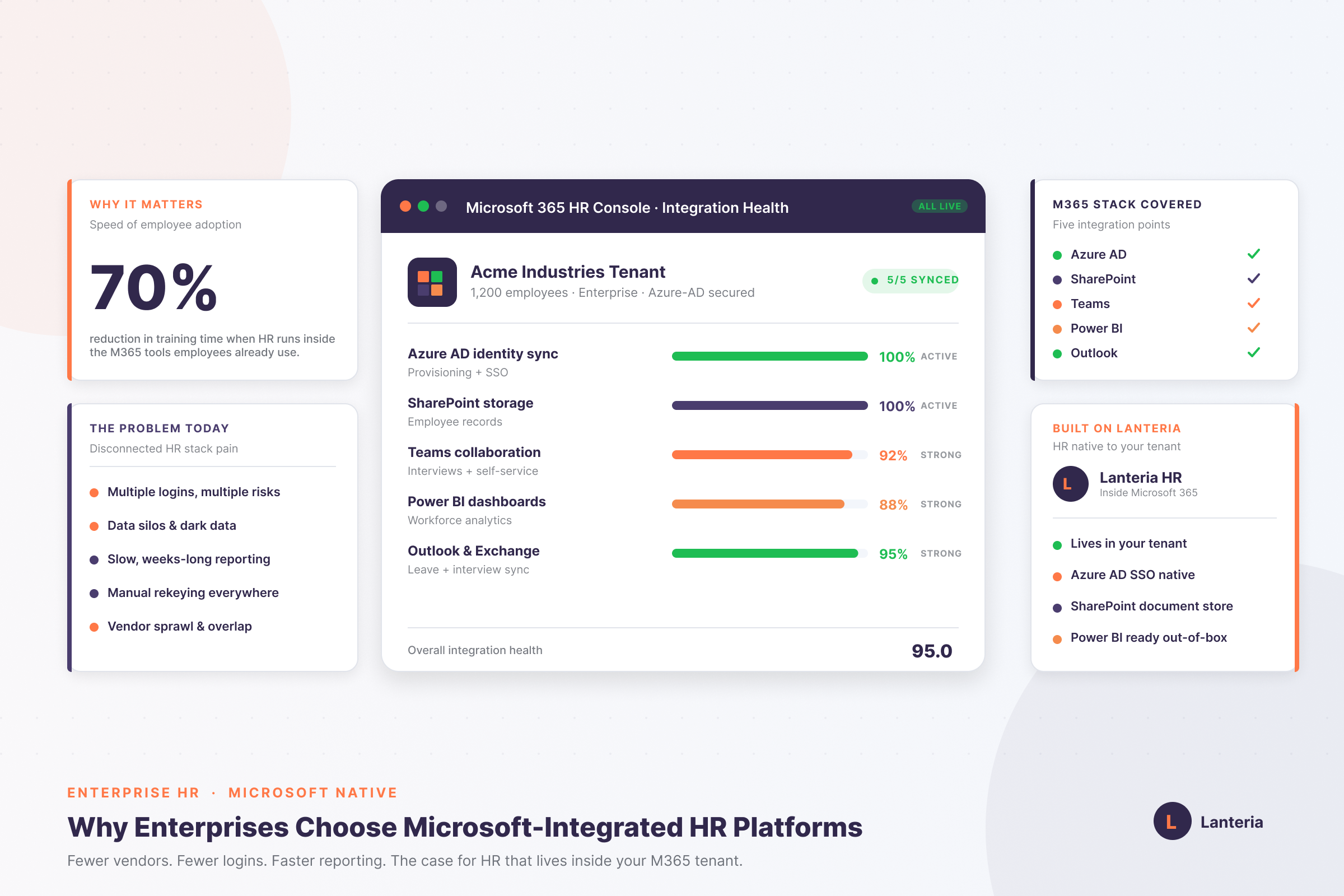
Microsoft's native HR software is integrated to use SharePoint and Azure. It is not out of it, but inside your tenant. It contrasts with tools that are connected only via APIs.
Your data on employees remains within the reach of your Microsoft security. With SSO, you are using the same Microsoft to complete core HR functions. Learning, performance, and recruiting can sit within the same environment.
Helpful Resource: What is HRMS Software?
Modern HR is decision-making, not documentation. Information should flow smoothly between hiring, onboarding, and performance. That flow is maintained by integration.
Dashboards are real-time when your HR tool is linked to Power BI. Approvals and scheduling the interviews remain in your workflow when it is linked to Teams. Calendars and reminders remain up to date when linked to Outlook.
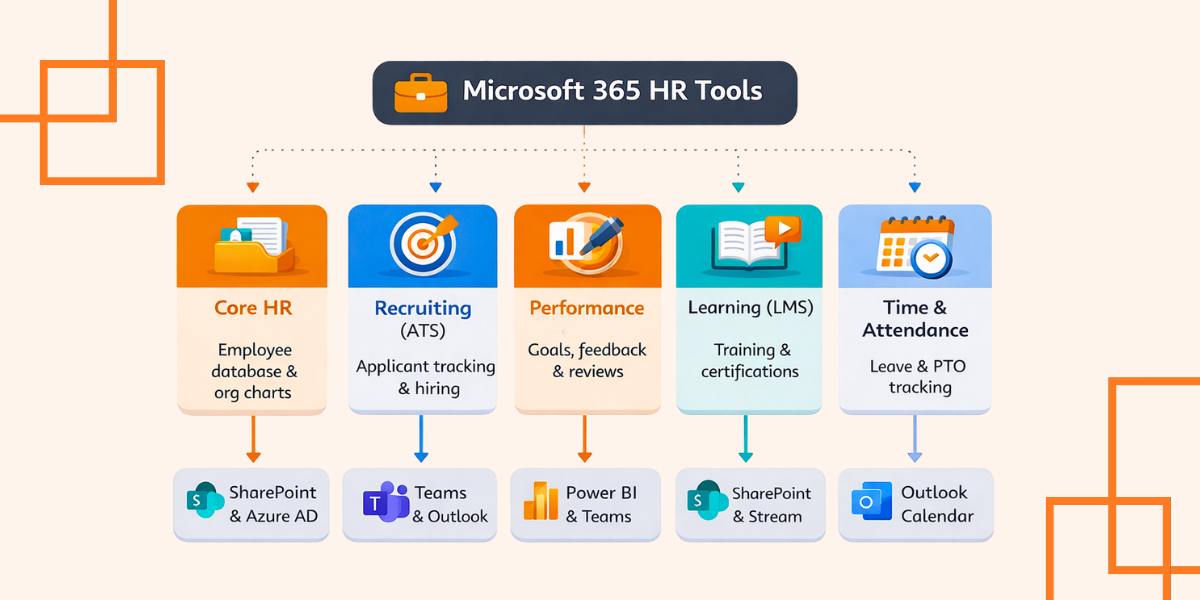
Not every HR software performs the same task. Select the pillar that should be automated. Most suites have modules that can be added as time passes.
You have your core HR, and this is where you begin, in case data is scattered. Add recruiting when there is slow or uneven hiring. Include learning or performance in case compliance and development are important.
Helpful Resource: Microsoft-Native HR Software Explained for 2026
The selection of an incorrect platform brings pain in migration. You would like something between 50 and 5,000 employees. You want something that will actually get adopted by your users.
Entra ID coordination cannot be compromised. When new hires are added to the HRMS, they should automatically be provisioned. Removal of access should be clean and regular through offboarding.
The security and data residency need to be transparent on the first day. Make sure of the location of data storage, encryption, and control between the data and the user. Native Microsoft solutions store data within your tenant.
Adoption is determined by user experience. Find an employee and manager self-service portal that is mobile-friendly. When standard practices are difficult, individuals will go back to email.
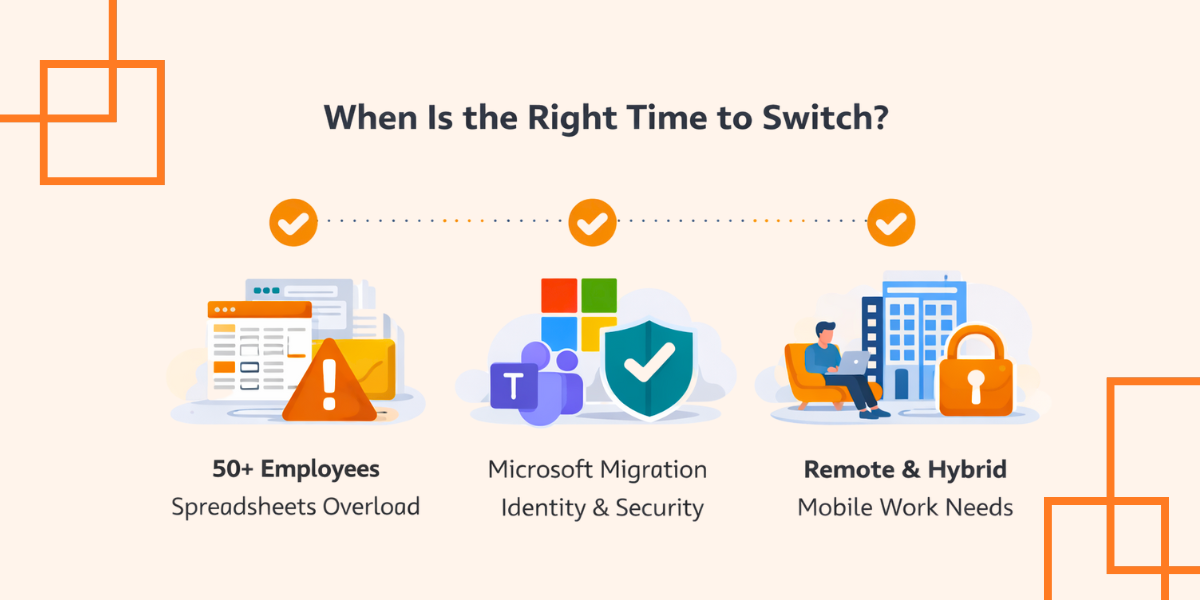
Do not wait for a meltdown. Switch at a time when change is already in progress. Such windows make it easier to roll out.
Switch when the number of employees exceeds 50, and spreadsheets are dangerous. Switch in a Microsoft migration to the establishment of identity and security. Switch when you require quick reports.
Switch as you transition to remote or hybrid work. Your system requires a digital central office that has role-based access. You must have regular working schedules that are mobile.
The scope must be tight to implement it quickly. Pay attention to clean data, clear permissions, and a single workflow. Add module after initial successes.
Clean your existing Excel files and exports. Assign permissions with the SharePoint roles and least access. Onboarding should be automated to achieve ROI.
Link Power BI early to enable leaders to realize value fast. Teach users to generate reports within minutes. After that, run feedback.
Helpful Resource: Transform HR with Lanteria Analytics Suite
Selecting Microsoft 365 HR software is an important technological choice. You are creating an integrated working environment, and not acquiring an instrument. The correct option eliminates silos and data clean-up.
Your HRMS cooperates with SharePoint, Teams, and Power BI, and work becomes easy. Faster approvals are made, and reporting becomes reliable. The self-service gives employees control.
Begin small, and go big. Initiate a workflow, such as onboarding, and record the time saved. People feel safe with the system, and they adopt it naturally.
Yes, native solutions are deployed on your SharePoint. They get access to your storage, permissions, and security settings. That reduces the disturbance and speeds up implementation.
Yes, it is a big benefit of Microsoft-native HRMS tools. HR data can be fed into Power BI. You are able to impose role-based access to dashboards.
Yes, since information remains in your Microsoft tenant. You have such controls as MFA, auditing, and encryption. Access and retention policies remain with you.
It will be determined by the cleanliness of your data and the number of modules that you enable. The majority of teams work more quickly when they begin with a single workflow, such as onboarding.
Acceptance of checks, speed of the work completed, and Entra ID one-to-one. Test actual work processes and ensure that permissions are valid for each role.
Book a demo with Lanteria HR today and make Microsoft 365 a single, secure, and connected HR.