

HR Management
5 min read
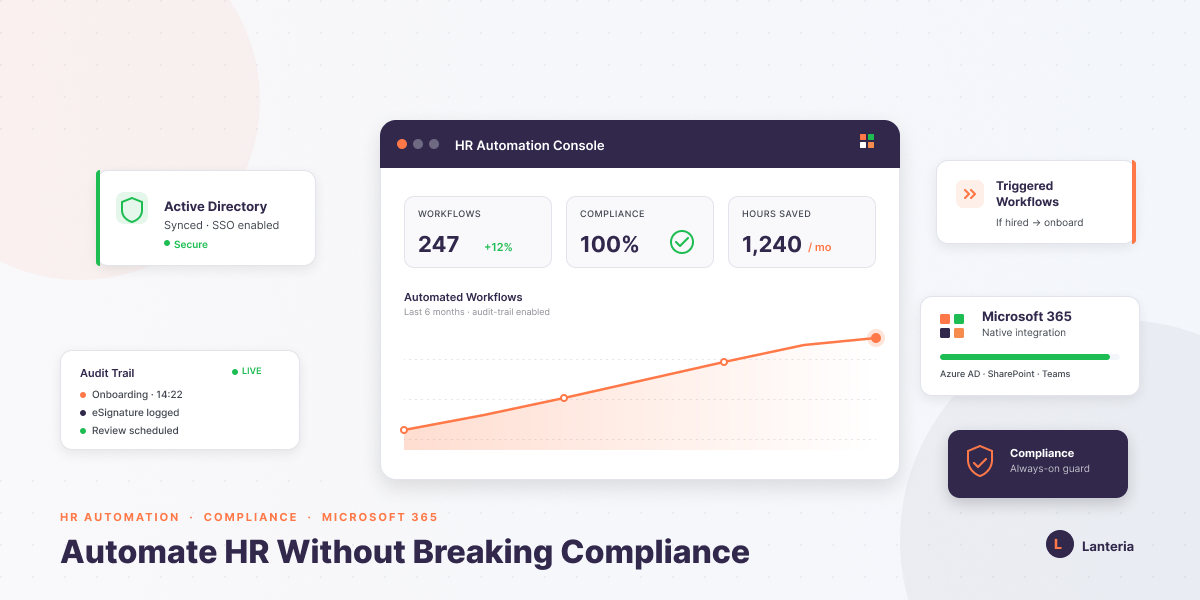
HR Automation Without Breaking Compliance
Learn how to automate HR processes without compliance risk. Explore key modules, security best practices, and Microsoft 365 integration tips.
Read more


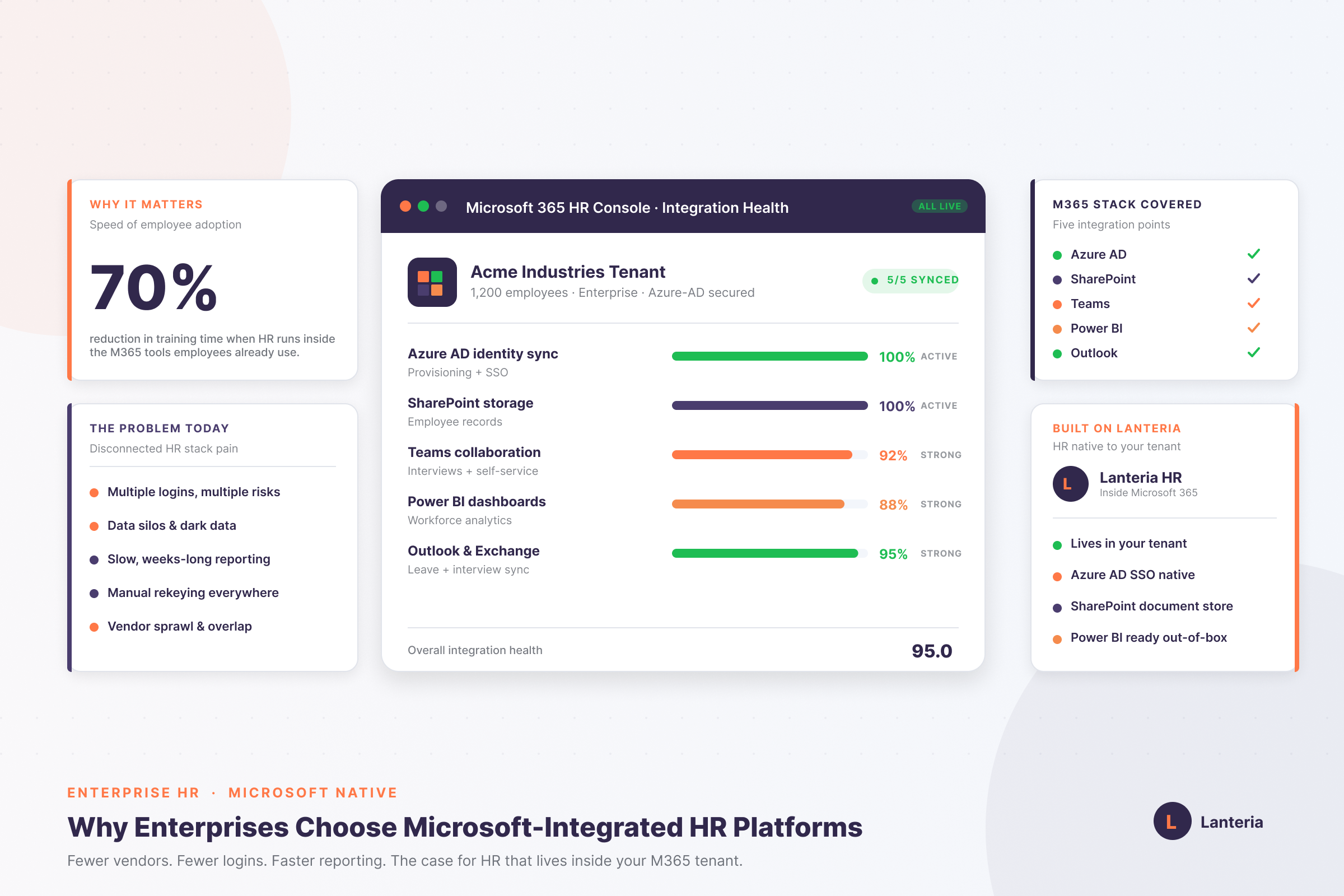
A Microsoft-integrated HR platform is an enterprise HRMS built natively on Microsoft 365 and SharePoint, running inside your existing tenant rather than as a separate external cloud tool. It uses Azure Active Directory for single sign-on, stores employee documents in SharePoint, runs reporting through Power BI, and embeds recruiting, onboarding, and performance workflows directly inside Microsoft Teams. Enterprises switch to this model for three reasons: tighter security (one identity layer instead of ten), faster user adoption because employees already know the Microsoft interface, and reporting cycles that drop from weeks to seconds because data is structured at the source. The reference implementation is Lanteria HR, a SharePoint-based HRMS that connects Azure AD, Teams, Outlook, and Power BI into a single workforce system — eliminating vendor sprawl and putting HR data behind the same firewall as the rest of your enterprise stack.
Imagine that your HR department is caught in a software sandwich. All day, they switch between spreadsheets, payroll, and recruiting. Microsoft Teams already displays outdated data.
This discontinuous process forms security silos. It hinders collaboration and leads to more mistakes. The productivity decreases without immediate notice.
Disconnected tools are being abandoned by modern enterprises. They desire to have fewer suppliers and fewer accounts. They use platforms that are constructed within Microsoft 365.
This post explains why a Microsoft integrated HR approach works best. We describe the construction of platforms such as Lanteria. You will get to know the types of integration and the relationship between Microsoft Azure Active Directory, Microsoft SharePoint, and Microsoft Power BI.
Enterprise HRMS is a Microsoft-integrated HR platform that is developed to run on Microsoft 365 and SharePoint. It utilizes your current tenant as its basis. It is not a simple external cloud-based tool.
This model is built into your infrastructure, unlike cloud-agnostic systems. It is an extension of what you already have. It helps to minimize duplication and vendor overlap.
The SSO on the platform is by use of Azure Active Directory. Documents remain within your safe SharePoint. Meetings are synchronized with the Exchange calendars.
Helpful Resource: Microsoft-Native HR Software Explained for 2026
| Integration Type | Technical Component | Business Value |
|---|---|---|
| Identity Management | Azure Active Directory (AD) | Automated provisioning and secure single sign-on |
| Data Visualization | Power BI | Custom HR dashboards and real-time analytics |
| Collaboration | Microsoft Teams | Self-service and interview scheduling inside Teams |
| Document Storage | SharePoint | Secure, centralized employee records |
| Scheduling | Outlook / Exchange | Automated leave and interview calendar sync |
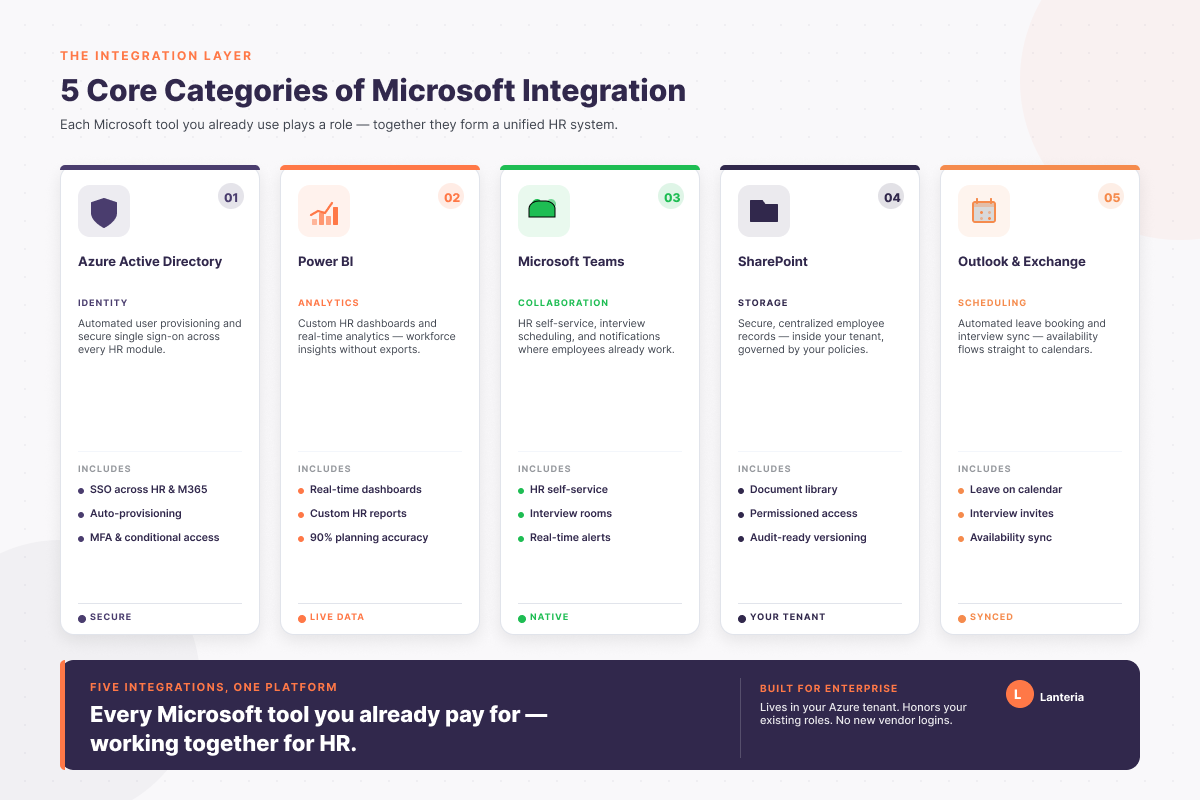
The categories have a different role to play. The two merge together into a unified system. Such a structure eliminates manual dependencies.
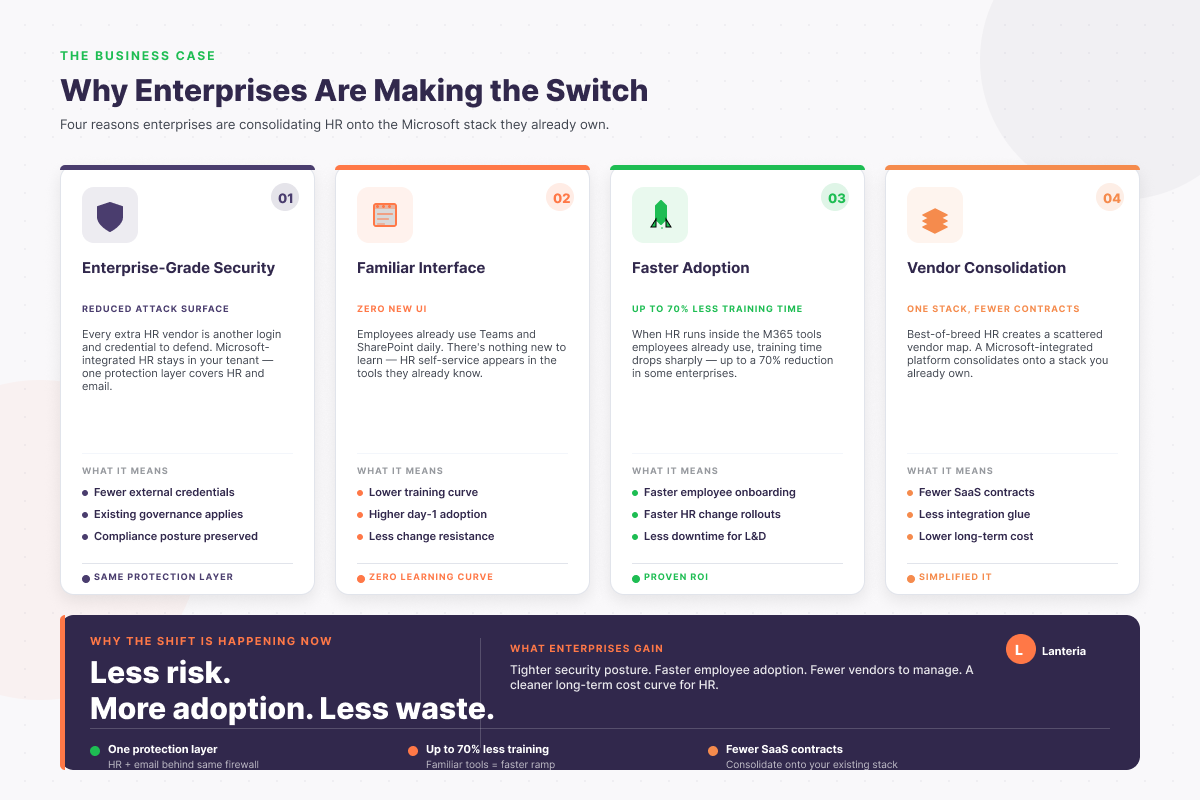
The reason why enterprises are moving to Microsoft-integrated HR platforms is clear and practical:
Integration is done using API hooks and native connectors. The communication in systems is automatic. HR activities stimulate technical processes.
As an example, the introduction of a new hire initiates automation. Azure AD offers credentials in real time. The email accounts and permissions are generated automatically.
This will remove repetition in data entry. It also avoids the records that are mismatched. IT and HR remain aligned.
Helpful Resource: What is HR Tech?
Dark data is a challenge to many organizations. The information is available, but still not usable. It takes weeks to put together reports.
Structured data is contained in an integrated HRMS. Power BI links directly to the source. Reporting is made instant.
Leaders acquire practical exposure. Decisions rely on live data. Strategy becomes proactive.
Helpful Resource: Real-Time HR Reporting with Lanteria & Power BI
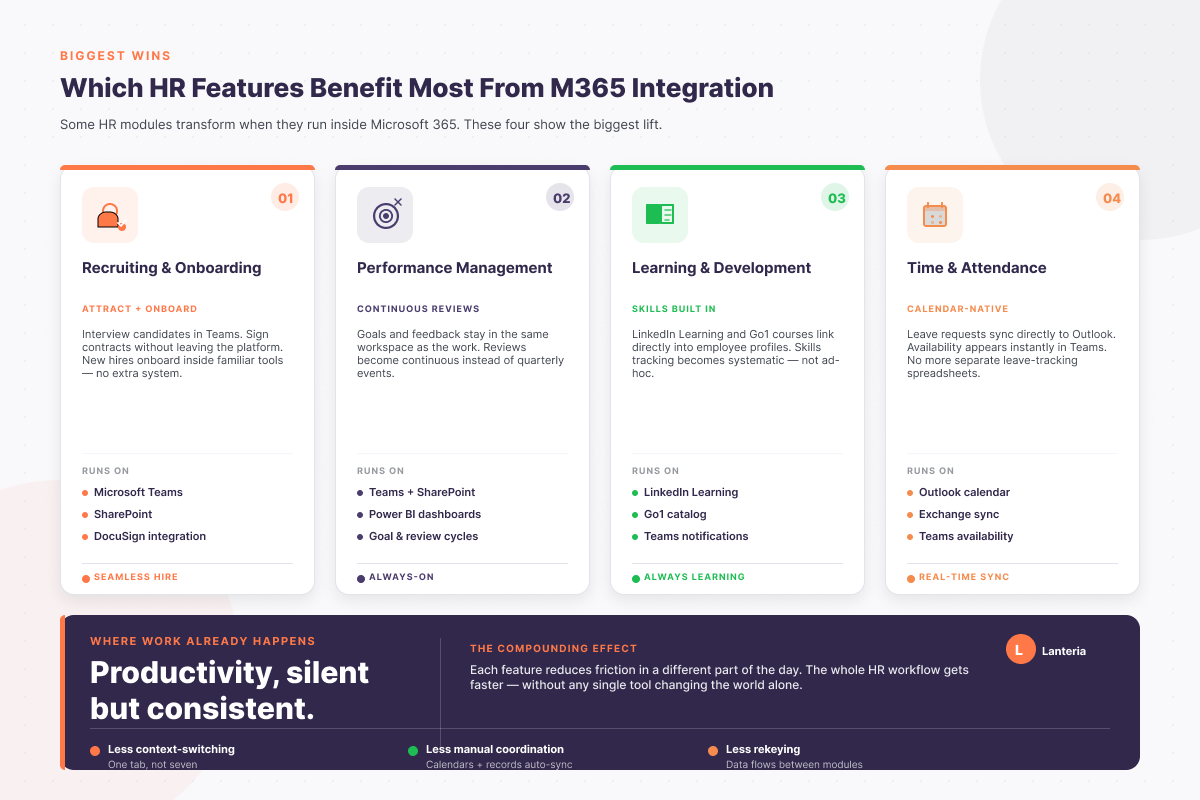
Not all the HR modules are equally important. Certain functions become extremely efficient. Some enhance cooperation.
These characteristics help to minimize friction. They also lessen the manual coordination. Productivity is a silent but consistent growth.
Timing matters. The ideal time is when transforming digitally. It is also a good idea when manual processes begin to collapse.
When HR is using over ten hours a week to enter the data, you have already exceeded the capacity of your tools. Strategy should be the focus of that time. Repetition is an indicator of inefficiency.
A lot of businesses change once they realize that there is fragmentation of data. Best-of-breed applications generate detached databases. Reporting becomes painful.
Centralization makes sense when you want to save more than one hundred hours monthly. Governance is made strong through consolidation. It minimizes the long-term costs as well.
The selection of a Microsoft-integrated HR platform is not solely an HR choice. It is also a significant IT and security relocation. The decision has a direct effect on governance and risk management.
This streamlines your general technology stack. It gets rid of redundant vendors and overlapping contracts. The complexity reduces throughout all departments.
HR teams cease to work as data clerks. They are made strategic partners to leadership. A single Microsoft-based ecosystem provides production and transparency in scale.
No, your data is not out of your Microsoft 365 tenant. You manage permissions, encryption, and compliance policies. Security standards are in line with your current governance model.
Yes, it is so that hybrid integration is usual. Services such as Lanteria are linked to payroll companies such as ADP. They are also connected to job boards and automation tools.
The first setup is the configuration of Azure Active Directory. Once deployed, HR departments undertake their daily activities without difficulty. The interface does not need any coding skills.
Transform your HR activities within Microsoft 365 and get rid of the fragmented systems today.